
Mastering Environment Variable Management Tools: A Comprehensive Comparison for Developers in 2026
In the dynamic world of software development, managing configurations, secrets, and environment-specific settings is a perpetual challenge. As applications grow in complexity and move through various stages—from local development to staging and production—the need for robust environment variable management tools becomes paramount. Mismanagement can lead to security vulnerabilities, deployment errors, and significant developer friction. This article provides a comprehensive comparison of leading strategies and environment variable management tools, equipping IT professionals, developers, and app builders with the knowledge to make informed decisions for their projects in 2026.
We’ll examine three distinct yet powerful approaches: the ubiquitous dotenv for its simplicity in local setups, direnv for its intelligent, context-aware automation, and Centralized Secret Management Platforms (like Vercel Environment Variables or AWS Secrets Manager) for robust, scalable, and secure production deployments. Understanding the strengths and weaknesses of each will help you architect a resilient and secure environment variable strategy.
The Imperative of Effective Environment Variable Management
Why do developers obsess over environment variables? Simply put, they are the backbone of adaptable and secure applications. Environment variables allow applications to behave differently based on their deployment context without requiring code changes. This separation of configuration from code is a fundamental principle of twelve-factor app methodology, promoting portability and scalability.
Consider database connection strings, API keys, or third-party service credentials. Embedding these directly into source code is a grave security risk, leading to potential data breaches if the repository is compromised. Storing them as environment variables keeps them out of version control and allows different values for development, testing, and production environments, greatly enhancing flexibility and security. Moreover, consistent environment variable management tools ensure that development workflows are reproducible, reducing the dreaded “it works on my machine” syndrome.
The principle of separating configuration from code is essential for building robust, scalable, and portable applications. This practice minimizes the risk of sensitive data exposure and streamlines deployment processes across diverse environments.
— The Twelve-Factor App Methodology
Comparative Overview: Environment Variable Management Tools
To provide a clear perspective, let’s look at how dotenv, direnv, and Centralized Secret Management Platforms stack up against each other across several key criteria.
The table below summarizes the core distinctions, helping you quickly grasp where each solution excels and where it might fall short in your environment variable management strategy.
| Feature | dotenv |
direnv |
Centralized Secret Management Platforms (e.g., Vercel, AWS Secrets Manager, Kubernetes Secrets) |
|---|---|---|---|
| Primary Use Case | Local development, simple projects | Local development, per-directory context, advanced scripting | Production environments, CI/CD, secure secret storage at scale |
| How it Works | Loads variables from .env file into process.env at application runtime |
Shell hook loads/unloads variables based on current directory | Dedicated service stores and retrieves secrets, integrates with deployment pipelines |
| Installation | Library dependency (e.g., npm, pip) | System-level shell hook | Platform-specific configuration, API integration |
| Scope | Application-specific (per project) | Directory-specific (per folder or project) | Global (across projects/services within an organization/cloud account) |
| Security | Relies on .env file being excluded from VCS; no built-in encryption or access control |
Relies on .envrc file exclusion; no built-in encryption or fine-grained access control |
Robust encryption (at rest and in transit), fine-grained access control (IAM), auditing, secret rotation |
| Complexity | Very low | Moderate (shell scripting knowledge beneficial) | High (requires setup, integration, understanding cloud security models) |
| Team Collaboration | Manual sharing of .env file templates |
Manual sharing of .envrc file templates |
Centralized management, permissions, audit logs simplify team collaboration |
| Real-world Example | Node.js app reading DATABASE_URL from .env |
Switching Python virtual environments and API keys when cd-ing into a project folder |
Kubernetes Pod retrieving database credentials from a Secret, Vercel deploying an app with environment variables configured in its dashboard |
Deep Dive: dotenv – Simplicity for Local Development
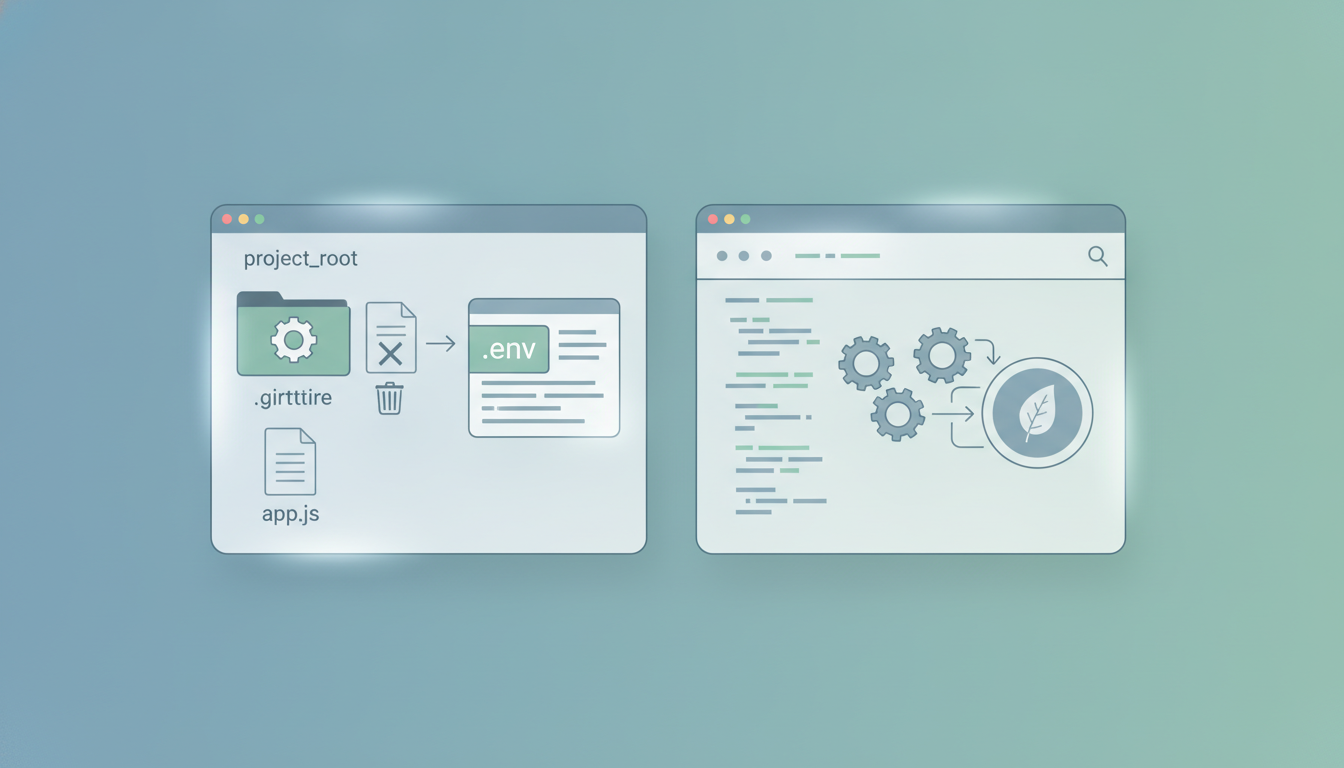
dotenv stands as one of the most widely adopted environment variable management tools, especially for local development. Its appeal lies in its straightforward approach: you create a .env file in your project’s root directory, populate it with key-value pairs (e.g., DB_HOST=localhost, API_KEY=your_dev_key), and then, with a simple library call, these variables are loaded into your application’s environment (e.g., process.env in Node.js, os.environ in Python) when the application starts.
The critical best practice with dotenv is to always add .env to your .gitignore file. This prevents sensitive information from being committed to version control systems. For team collaboration, you’d typically commit an .env.example or .env.template file that outlines the required variables without exposing their values, allowing each developer to set up their local environment independently. Its simplicity makes it an excellent entry point for developers learning about environment variable management tools.
Pros of dotenv
- Extreme Simplicity: Easy to understand, set up, and use. Almost zero learning curve.
- Wide Language Support: Available as a library for virtually every programming language (Node.js, Python, Ruby, PHP, Java, Go, etc.).
- Project-Specific: Variables are contained within the project directory, making it easy to manage configurations for individual projects.
- Lightweight: Adds minimal overhead to your project.
Cons of dotenv
- Local Only: Primarily designed for local development. Not suitable for production-grade security or centralized management.
- No Built-in Security: Offers no encryption, access control, or auditing. Relies entirely on developer discipline to exclude
.envfrom VCS. - Manual Management: Requires manual updating of
.envfiles across different environments or team members. - Runtime Loading: Variables are loaded when the application starts, not automatically when you enter a directory.
Best Use Cases for dotenv
dotenv is ideal for individual developers or small teams working on prototypes, personal projects, or local development environments where the primary concern is separating static configurations from sensitive data. It’s excellent for quickly getting an application up and running without hardcoding secrets, making it a foundational tool among environment variable management tools.
Deep Dive: direnv – Contextual Environment Automation
direnv takes environment variable management tools a step further by integrating directly with your shell. Instead of loading variables at application runtime, direnv automatically loads and unloads environment variables when you change directories in your terminal. This means that as you cd into a project directory, direnv looks for an .envrc file. If found and allowed, it sources this file, setting up the environment variables specific to that project. When you leave the directory, those variables are automatically unset.
This contextual switching is incredibly powerful for developers who juggle multiple projects, each with unique dependencies, API keys, or even different versions of programming languages. It eliminates the need for manual export commands or remembering which environment variables belong to which project. Like dotenv, the .envrc file should be diligently added to .gitignore to protect sensitive data. For advanced users, direnv also offers features like watching files for changes, extending its utility beyond simple key-value pairs.
Pros of direnv
- Automatic Context Switching: Variables are loaded/unloaded automatically based on the current directory, streamlining workflow.
- Shell Integration: Works directly with your shell (Bash, Zsh, Fish), affecting all processes launched within that shell.
- Scriptable: The
.envrcfile can contain arbitrary shell commands, allowing for complex environment setups (e.g., activating virtual environments, setting PATHs). - Enhanced Reproducibility: Ensures a consistent environment for anyone entering the project directory, assuming the
.envrctemplate is shared. - Composable: Can be used in conjunction with other tools. For instance, you could use a tool like Envtools to compare dotenv vs direnv and see how they can complement each other.
Cons of direnv
- Shell Dependency: Requires shell hooks, which might feel more intrusive for some users.
- Initial Setup: Requires a one-time shell configuration and explicit approval for each new
.envrcfile for security. - No Built-in Security: Similar to
dotenv, it lacks native encryption, access control, or auditing. - Learning Curve: While powerful, its scripting capabilities mean a slightly steeper learning curve than
dotenv.
Best Use Cases for direnv
direnv is highly recommended for developers who manage numerous projects on their local machine, each with specific environment requirements. It’s particularly effective in polyglot development environments or projects requiring specific toolchain versions. Its ability to automate environment setup makes it one of the most efficient environment variable management tools for local productivity.
Deep Dive: Centralized Secret Management Platforms – Production-Grade Security and Scale
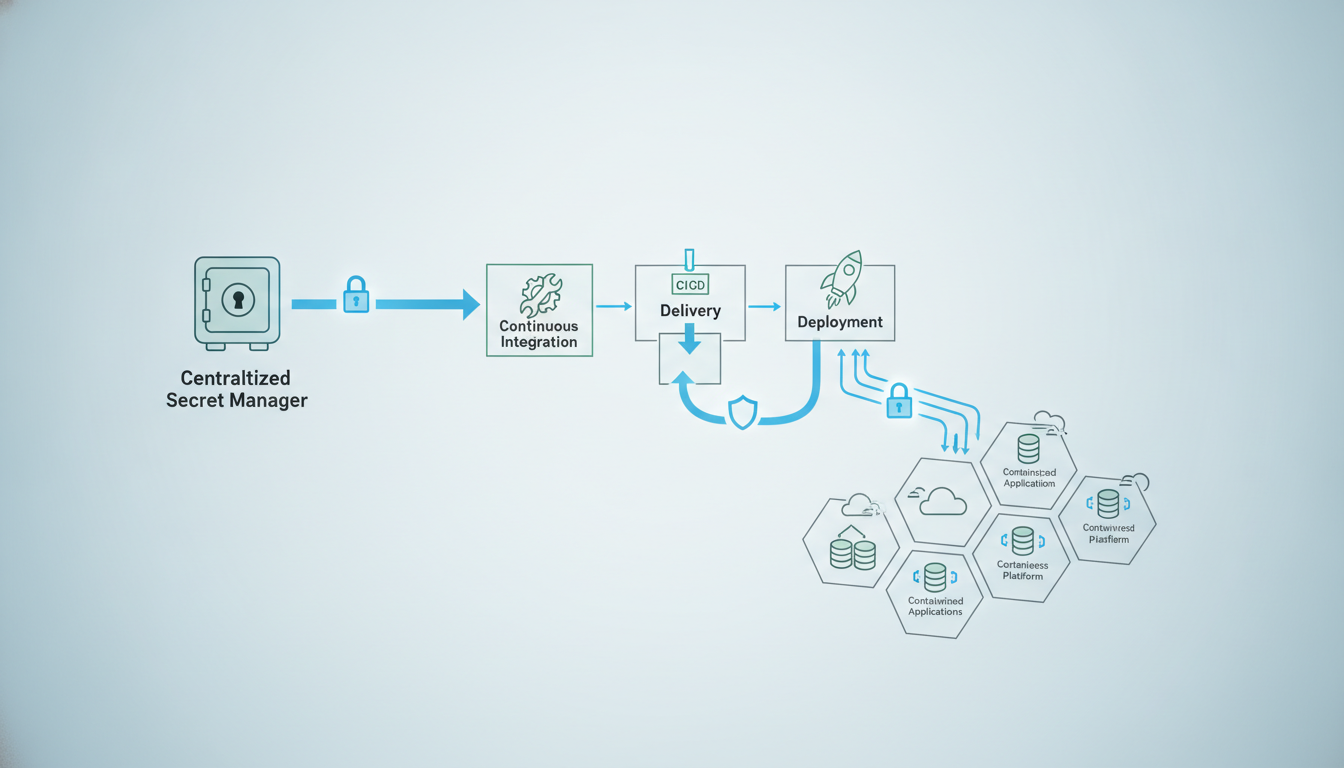
When moving beyond local development to staging, CI/CD pipelines, and production environments, the security and scalability requirements for environment variable management escalate significantly. Centralized Secret Management Platforms, exemplified by services like Vercel Environment Variables, AWS Secrets Manager, Google Cloud Secret Manager, Azure Key Vault, or Kubernetes Secrets, provide the robust infrastructure needed for enterprise-grade applications. These platforms are designed to securely store, manage, and distribute sensitive environment variables and secrets across an organization’s infrastructure.
These services offer features like encryption at rest and in transit, fine-grained access control (often integrated with IAM systems), auditing of secret access, and automated secret rotation. They integrate seamlessly with CI/CD pipelines, container orchestration platforms (like Kubernetes for Kubernetes Secrets), and serverless functions, ensuring that sensitive data is only injected into applications at runtime, and only by authorized entities. This approach represents the pinnacle of secure environment variable management tools for production.
Pros of Centralized Secret Management Platforms
- High Security: Robust encryption (AES-256 for data at rest), fine-grained access control, audit trails, and secret rotation capabilities.
- Scalability: Designed to manage thousands of secrets across hundreds of services and environments.
- Centralized Control: A single source of truth for all secrets, simplifying management and compliance.
- Automation and Integration: Integrates deeply with cloud services, CI/CD pipelines, and orchestration platforms (e.g., Vercel Environment Variables).
- Compliance: Helps organizations meet regulatory compliance requirements by providing verifiable security measures.
Cons of Centralized Secret Management Platforms
- Complexity: Significant setup and integration effort, requiring expertise in cloud security models and API interactions.
- Cost: Can incur costs, especially with advanced features or high usage volumes.
- Overhead: Introduces additional latency for secret retrieval and adds to the operational burden.
- Steep Learning Curve: Requires understanding of platform-specific APIs, IAM policies, and security best practices.
Best Use Cases for Centralized Secret Management Platforms
These platforms are essential for production applications, microservices architectures, serverless deployments, and any environment where security, compliance, and scalability are critical. They are the go-to solution for larger teams and organizations that need a secure, auditable, and automated way to manage sensitive configurations and secrets across their entire infrastructure, making them indispensable environment variable management tools.
For sensitive data like API keys and database credentials, always use a dedicated secret management service. Never commit secrets to version control, and ensure secrets are encrypted both at rest and in transit, with strict access policies.
— OWASP (Open Web Application Security Project)
Choosing the Right Environment Variable Management Strategy
The optimal choice among environment variable management tools depends heavily on your project’s scale, security requirements, and development stage. There isn’t a one-size-fits-all solution; rather, a layered approach often proves most effective.
- For Solo Developers & Small Teams (Local Development): Start with
dotenvfor its ease of use. If you work on multiple projects concurrently and need dynamic environment switching, integratedirenv. This combination covers most local development needs effectively. - For Medium-Sized Projects & Staging Environments: As your team grows and you introduce CI/CD, consider cloud-native solutions like GitHub Actions Secrets, GitLab CI/CD Variables, or platform-specific environment variable settings (e.g., Vercel, Netlify). These provide a bridge between local development and production-grade security, offering more robust handling than simple
.envfiles. - For Enterprise-Level Applications & Production: A dedicated Centralized Secret Management Platform is non-negotiable. Whether it’s AWS Secrets Manager, Google Cloud Secret Manager, Azure Key Vault, HashiCorp Vault (explore HashiCorp Vault alternatives if needed), or Kubernetes Secrets, these tools provide the security, auditing, and automation necessary for critical production workloads.
Remember that robust environment variable management tools are a critical component of your overall security posture. Always prioritize least privilege access, ensure encryption, and implement regular auditing.
Integrating Environment Variable Management Tools into Your Workflow
A seamless workflow often involves combining these tools. For instance, developers might use direnv locally to manage their environment and then deploy to Vercel, which uses its own centralized environment variables. During CI/CD, tools like GitHub Actions or GitLab CI will inject secrets fetched from a vault or configured directly into the build and deploy process.
Here are some integration tips:
- Local Development with
.env.example: Always provide an example file for new team members. Ensure sensitive variables are clearly marked and never committed. - CI/CD Pipelines: Configure your CI/CD system to fetch secrets from a secure source (e.g., pipeline secrets, cloud secret managers) rather than relying on environment variables set manually or in insecure files. Tools like
env-encryptcan help secure variables before pushing to repositories or passing through less secure channels. - Validation: Integrate environment variable validation into your application startup. This ensures all required variables are present and correctly formatted, preventing runtime errors. Services like Envtools provide utilities to help validate env files effectively.
- Minimize Exposure: Only expose necessary variables to the application. Use specialized environment variable management tools to manage what’s visible at each stage.
The Future of Environment Variable Management
As of 2026, the landscape of environment variable management tools continues to evolve towards greater automation, stronger security, and deeper integration with cloud-native platforms. Serverless computing and ephemeral environments are pushing for even more dynamic and on-demand secret injection. We can expect further advancements in:
- Zero-Trust Security Models: Where secrets are only accessed at the absolute last moment, with granular, time-bound permissions.
- Policy-as-Code: Managing secret access and rotation policies directly within code repositories.
- Enhanced Developer Experience: Tools that abstract away complexity while maintaining robust security, making it easier for developers to work with sensitive configurations.
Staying informed about these trends will be key to maintaining secure and efficient development practices.
Conclusion
Effective environment variable management tools are not just a convenience; they are a fundamental pillar of modern application security and operational efficiency. Whether you’re a solo developer leveraging the simplicity of dotenv, an agile team benefiting from direnv‘s contextual power, or an enterprise safeguarding critical assets with centralized secret management platforms, choosing the right tools for each stage of your application lifecycle is paramount.
By understanding the nuances of these solutions and adopting best practices, you can mitigate risks, enhance developer productivity, and ensure your applications run securely and reliably across all environments in 2026 and beyond.
Call to Action
Ready to streamline your environment variable management? Explore our suite of tools at Envtools.dev for generating secure keys, comparing environment variable practices, and ensuring your configurations are robust and compliant. From AES-256 key generators to environment file cleaners, we provide the utilities you need to master your application environments.
Frequently Asked Questions (FAQ)
Q: What is the primary difference between dotenv and direnv?
dotenv loads environment variables into an application at runtime from a .env file, while direnv automatically loads/unloads variables into your shell based on your current directory, using an .envrc file.
Q: Can dotenv be used in production?
While technically possible, dotenv is not recommended for production due to its lack of built-in security features like encryption, access control, or auditing, which are critical for sensitive production environments.
Q: Are centralized secret management platforms overkill for small projects?
For very small projects, they might introduce unnecessary complexity and cost; however, any project handling sensitive customer data or critical business logic should consider them for robust security.
Q: How can I share environment variables securely with my team?
For local development, share .env.example templates and instruct team members to populate them locally; for staging and production, use centralized secret management platforms with proper access controls.
Q: What is the “12-factor app” principle related to environment variables?
The 12-factor app methodology advocates strictly separating configuration (including environment variables) from code, ensuring that applications are highly portable and scalable across various deployment environments.